YOUR MT5 WORKSPACE · WINDOWS ALPHA
The charting workspace
MT5 should have had.
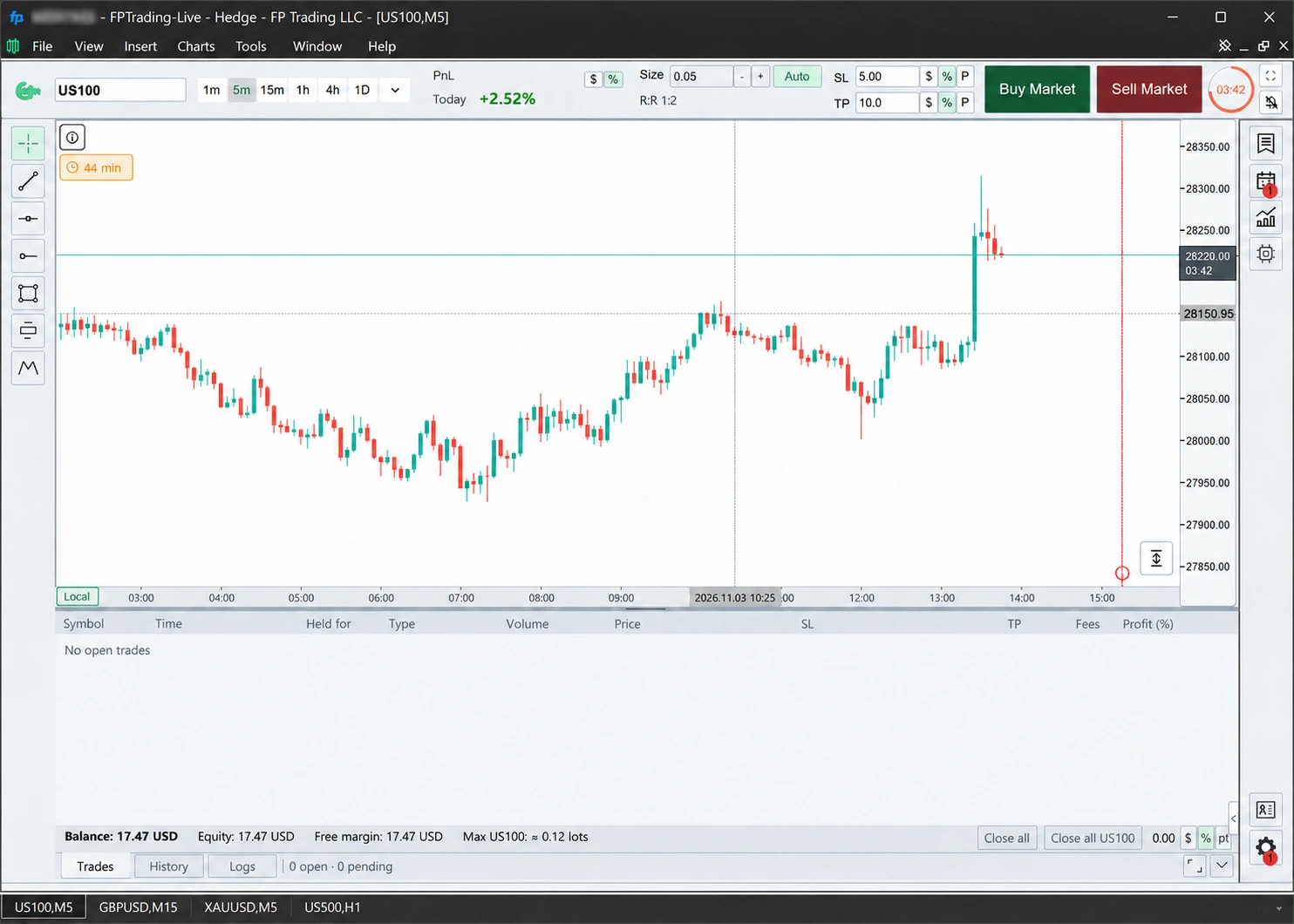
Draw and edit directly on your chart. Set risk, adjust stops and manage trades without breaking your flow.
Every current feature. Seven days free. No card or licence code needed.
Founders Lifetime · US$39 · Five PCs · All future updates
500 Founders Lifetime licences. Secure lifetime access before new purchases move to monthly and yearly subscriptions.
Compare the plans →LESS WINDOW SWITCHING
Your market context.
Right beside the chart.
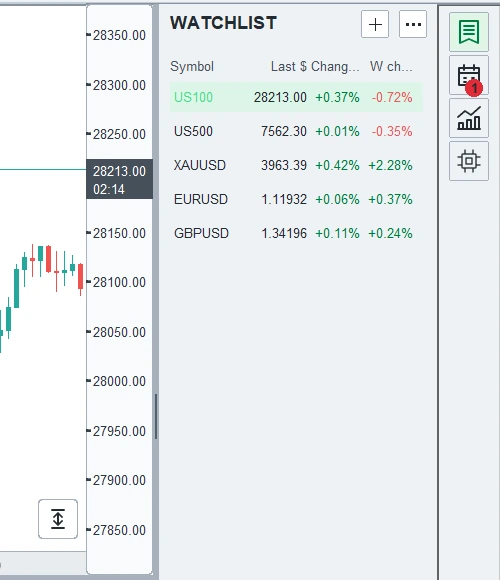
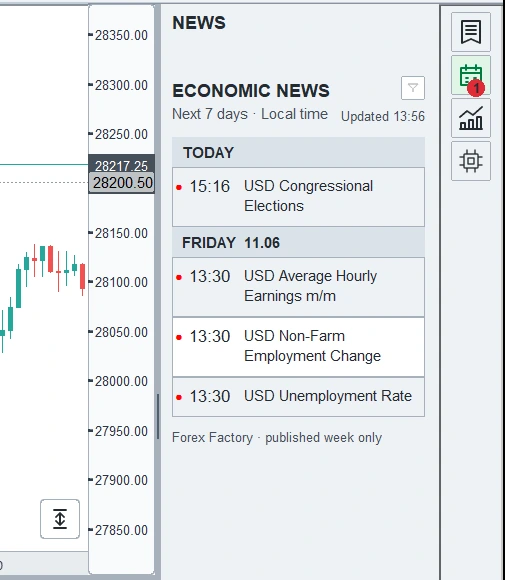
Keep your watchlist and economic news within reach. Follow the symbols you care about and see upcoming events without losing your place.
PUT YOUR IDEAS ON THE CHART
Draw it.
Style it.
Make it yours.
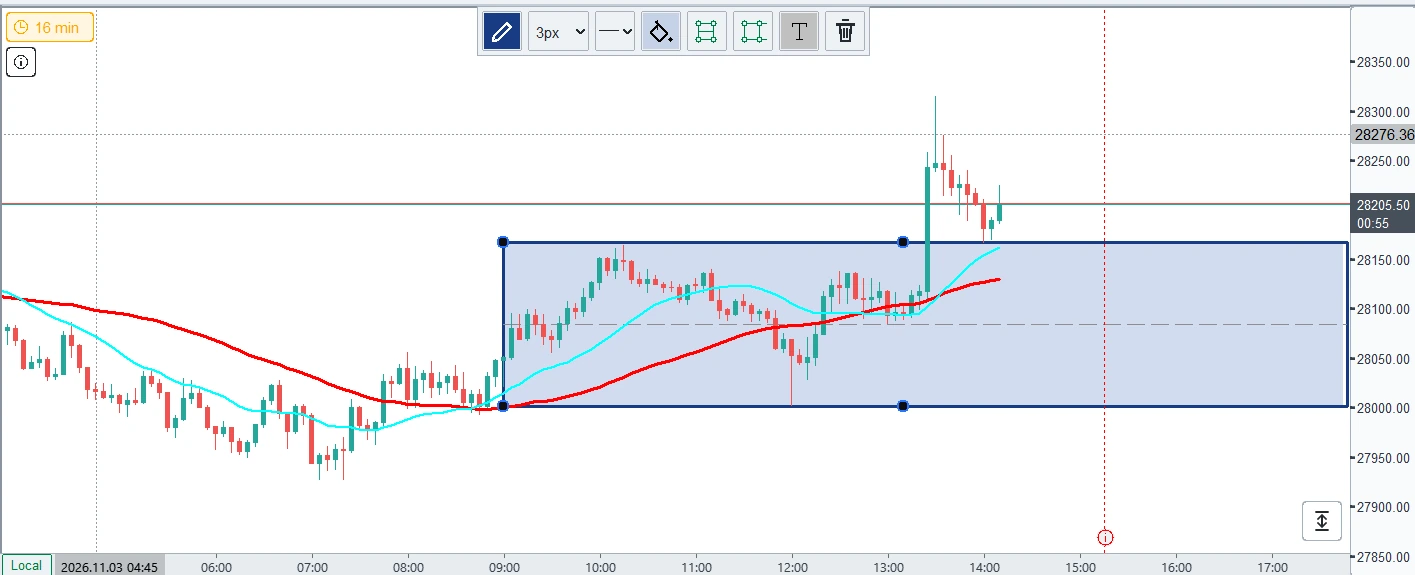
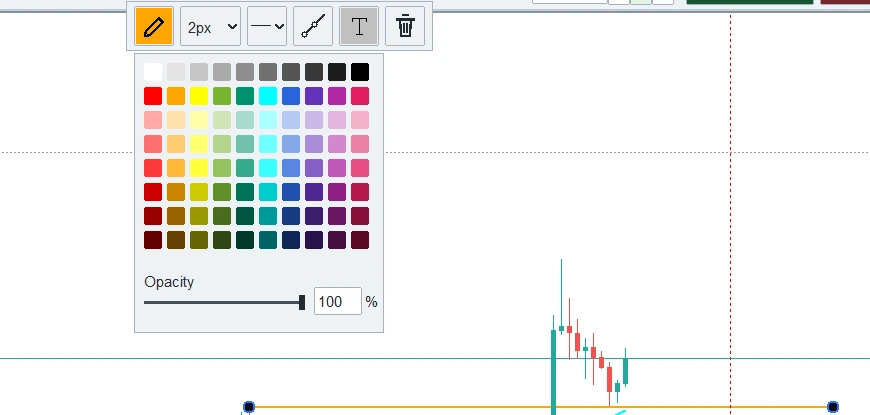
Mark a level, draw a line or highlight an area. Adjust colour, opacity, line style and thickness using controls beside your selection.
A WORKSPACE THAT FITS
Keep your tools close.
Set your own view.
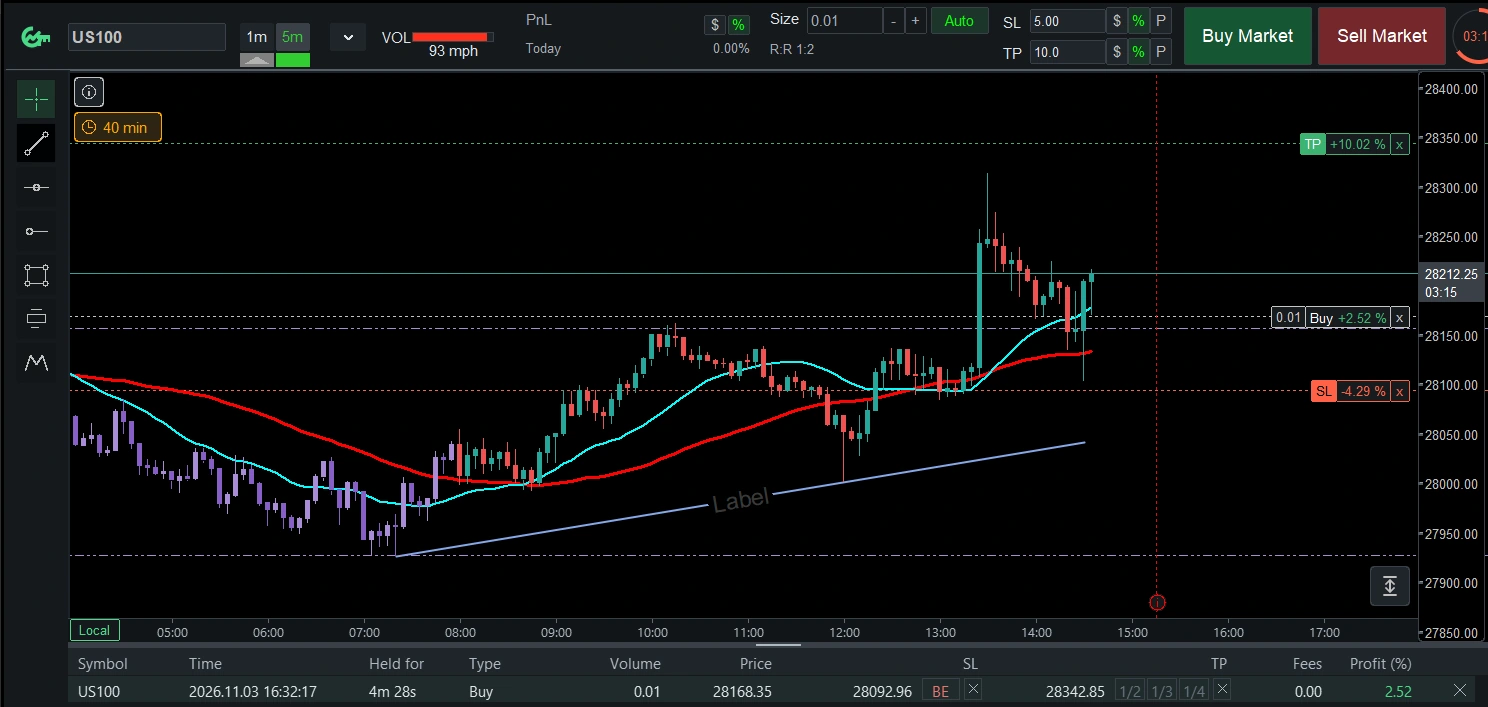
Keep your chosen risk in view as Auto sizing calculates your order size. Move SL and TP on the chart, take partial profit or move to break even from the same workspace.
LIMITED FOUNDING OFFER · 500 LICENCES TOTAL
Founders Lifetime.
Yours for life.
US$39
- Lifetime access
- Up to five PCs
- All future updates included
Applicable tax and the final total are shown at checkout.
The Founders offer closes after 500 licences are sold. New customers will then choose monthly or yearly subscriptions. Founders keep lifetime access, five PCs and all future updates. See current and planned options →
Help with an earlier checkout
Purchases are not open yet. No payment will be taken here.
Keep this tab and your purchase email for payment status and access recovery.
How buying works
Link is the merchant of record for payments through Stripe Managed Payments and sends payment receipts, invoices and refund messages. GunterChart provides product and licence support.
Terms · Refund policy · Privacy
Setup and requirements · Known issues
Your Windows Helper
- In File Explorer, right-click the official Helper ZIP and choose Extract All.
- Open the extracted folder and launch GunterChartUpdater.exe or Install GunterChart.exe, depending on your package.
- If Microsoft Defender SmartScreen says Windows protected your PC because the app is unrecognised, choose More info. Confirm the application name matches the official file you downloaded, then choose Run anyway if you trust the download.
If Windows reports malware, shows a different application, or offers no Run anyway button, stop and contact support.
- Open the downloaded Helper, enter the licence code from your purchase email and select Activate.
- Select your intended MT5 terminal, then Install GunterChart.
- Open that terminal and start on a demo account.
Need your email or a fresh download link? Contact support. Do not send card details, passwords or your full licence code.
YOUR NEXT WORKSPACE
Try your next MT5 workspace today.
Explore every current feature free for seven days. Choose Founders Lifetime when you’re ready, while the limited offer is available.
For purchase, licence or installation help, contact support.
Contact support