Your chart is a workspace you spend time in. GunterChart lets you adjust its appearance from the Settings panel rather than hunting through separate MT5 dialogs.
Start with the theme
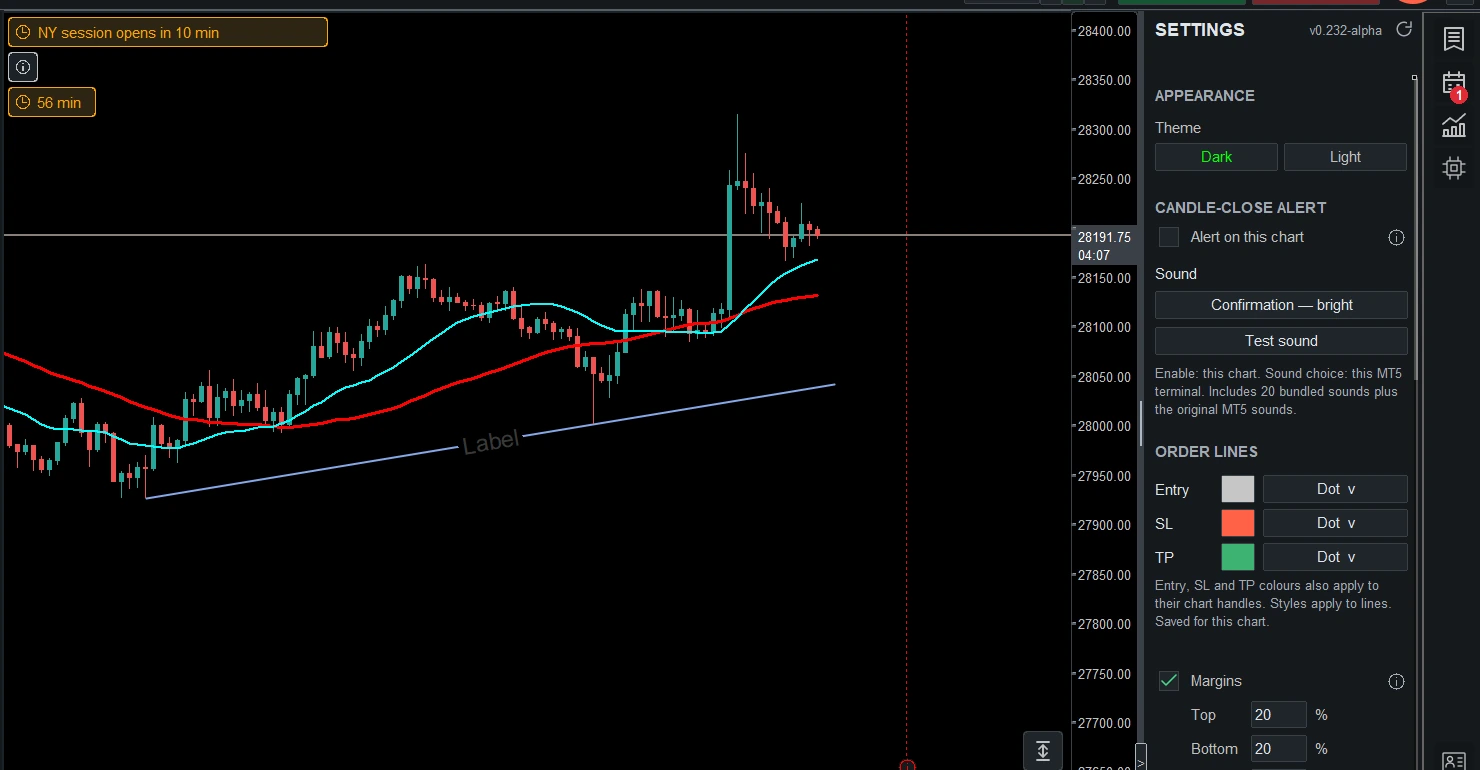
Open Settings using the cog icon on the right rail. Choose Light or Dark, then check that candles, price labels and tools remain easy to read on your screen.
Choose your candle colours
In the Candles section you can customise the body, border and wick colours. Use the on-screen instructions beside Default when restoring colours; the original MT5 colours and GunterChart’s appearance presets serve different purposes.
Give price some room
Use the chart margin settings to leave space above, below and to the right of the candles. Adjust the grid and background to suit your view, then keep the settings that help you read the chart comfortably.
See the appearance examples for more views of the app.
Join the conversation.
Comments are reviewed before appearing. Your email is never displayed.